Presbyterian Health: Web Portal Strategy + Design
Portal Strategy + IA
At Enlighten, I focused on what mattered most to the people using Presbyterian’s web portal. The strategy and redesign centered on real tasks like finding a doctor, choosing a location, comparing health plans, checking urgent care wait times, and navigating personalized account paths. I wanted the experience to feel rooted in New Mexico, so we brought the region’s culture, landscape, and community character into the design. The result was a portal that truly felt like it belonged to the people it served.
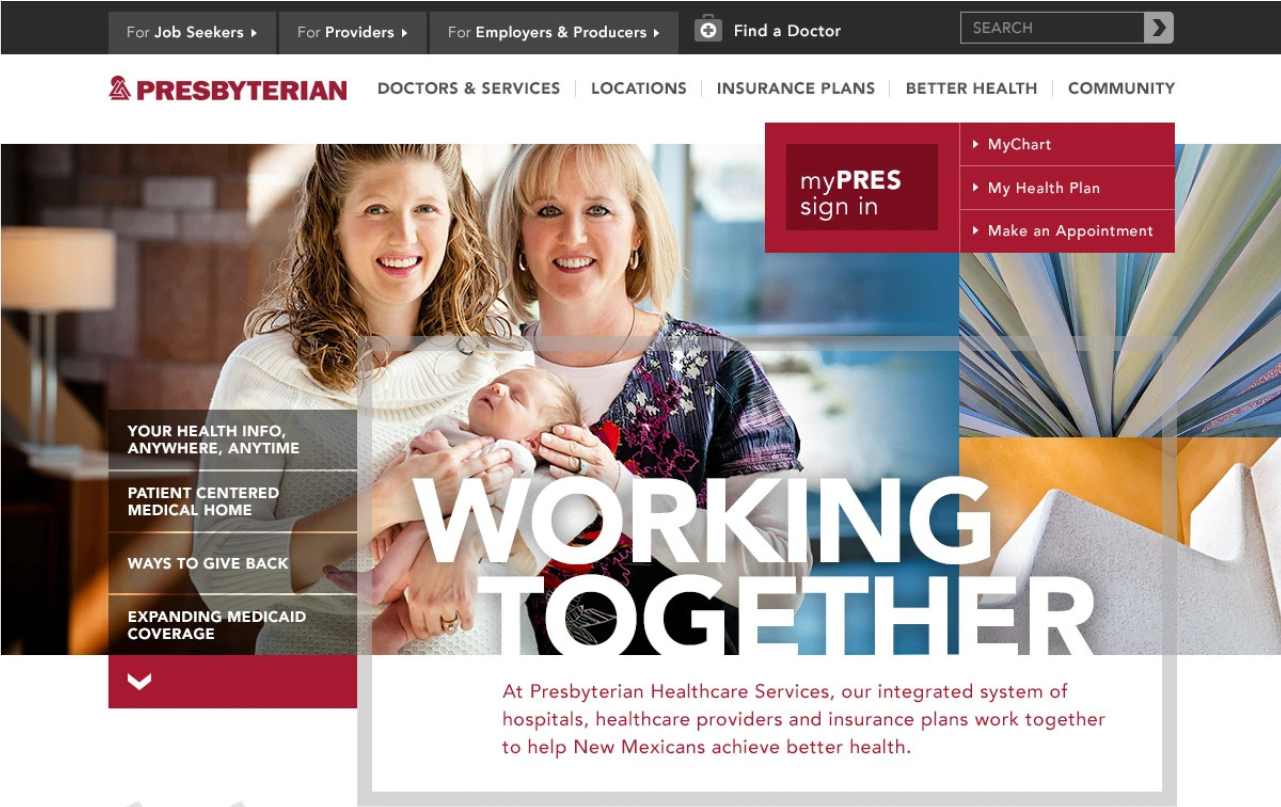
Give an integrated health system a useful digital front door.
Presbyterian Healthcare Services had a clear challenge: turn a major brand update into a digital front door that worked for people across New Mexico. The Affordable Care Act was changing how people thought about coverage, providers, and care. Tools like Care Finder, My Presbyterian, urgent-care wait times, and health plan discovery became essential. My goal was to make care and coverage easy to understand, with clear and helpful paths for every visitor.
Presbyterian combined healthcare delivery and health insurance in one place. The digital experience needed to make this connection work for anyone searching for care, comparing coverage, or managing their account. The One Presbyterian approach gave us a shared identity, and my job was to connect that identity to the real needs of people using the portal.
I shaped the portal strategy and redesign by focusing on the choices people actually face. Care, coverage, and personalized access became the core of the experience. This approach kept the work focused on the real decisions each person brings to the site.
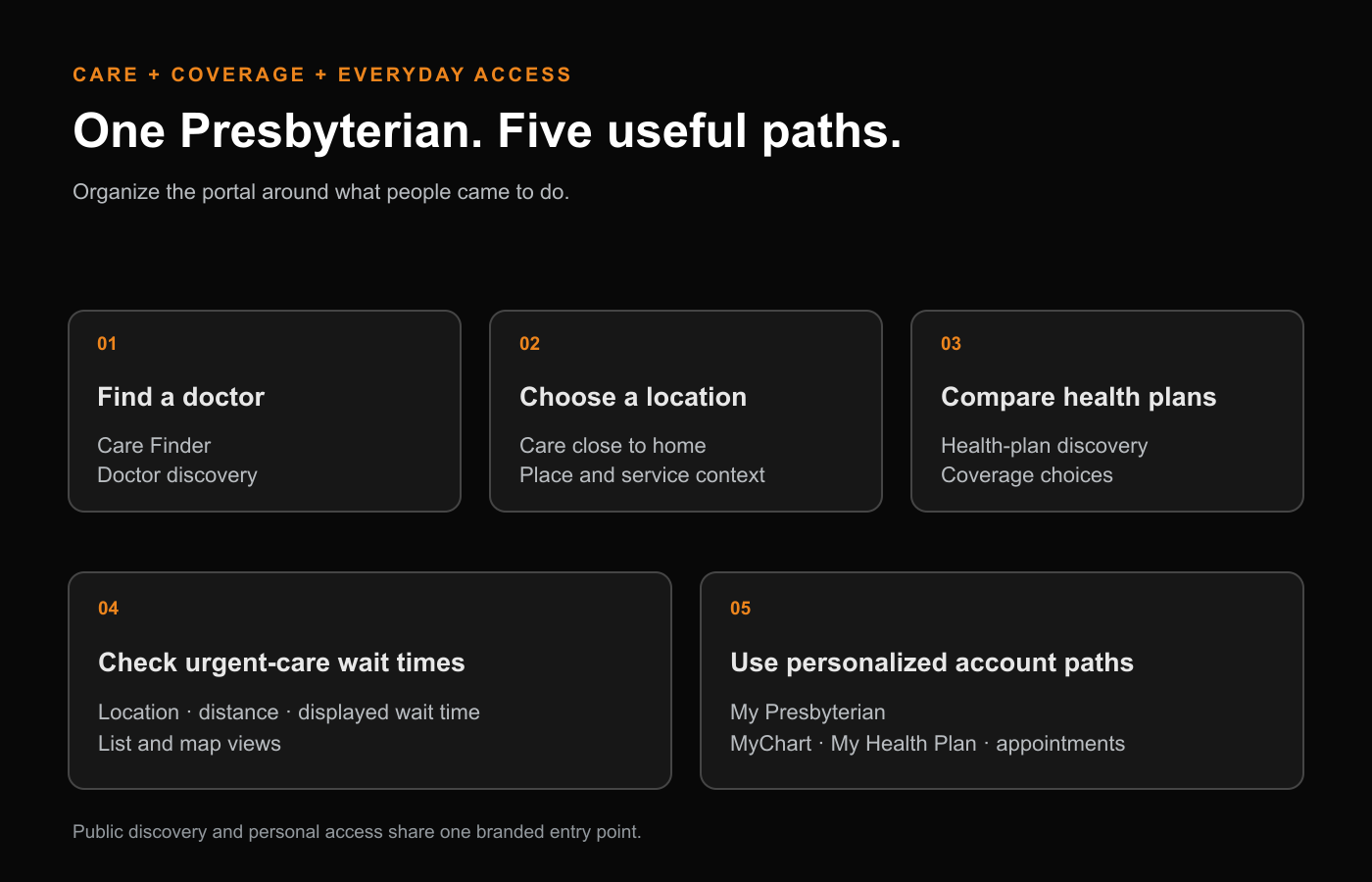
Put care decisions close to the information that matters.
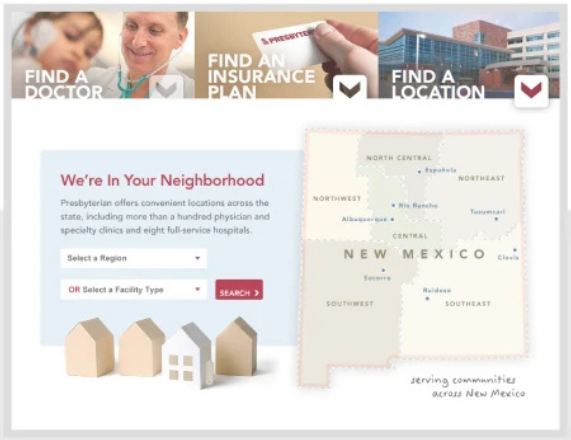
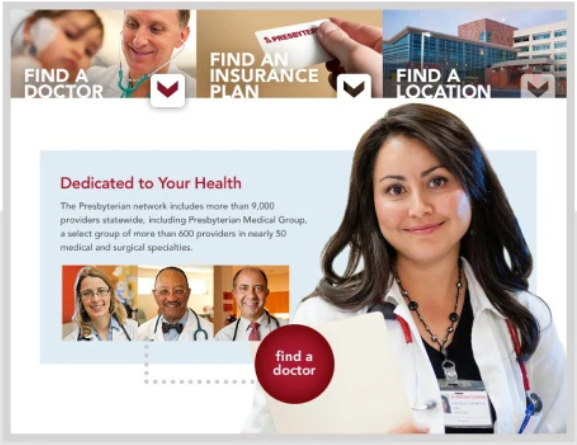
Finding care connects several decisions. Doctor, location, and service all need to fit together. In the portal, I placed doctor and location discovery right next to coverage choices, so people had a clear place to start, no matter what brought them in.
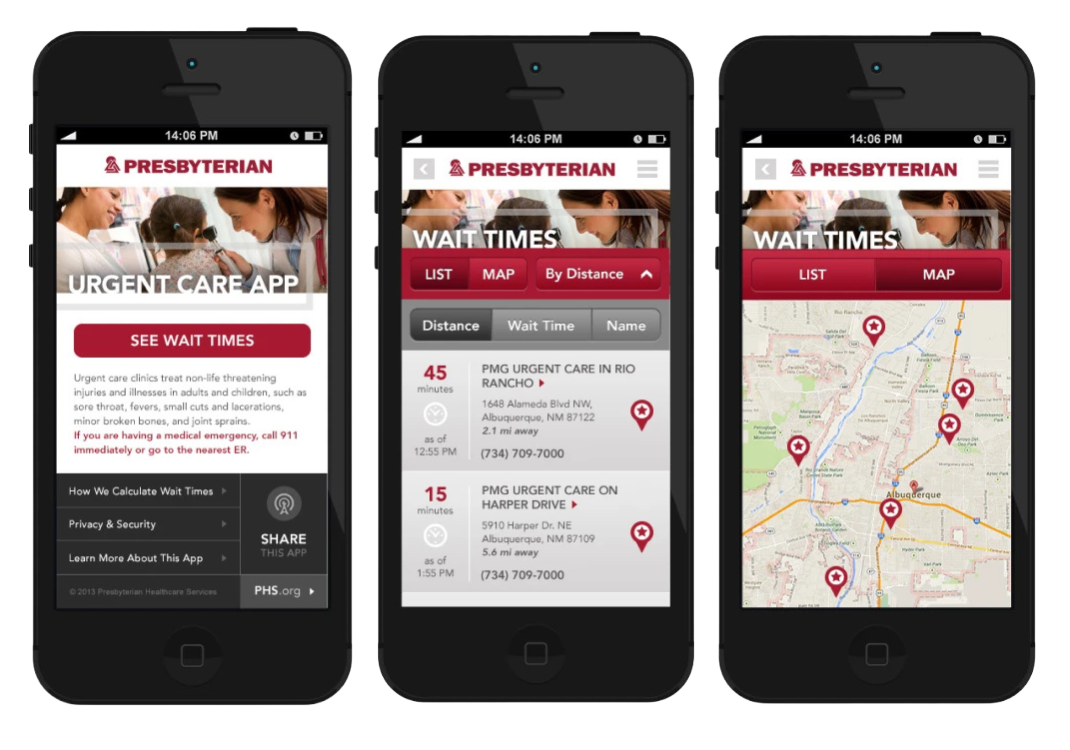
Urgent care brings a different kind of urgency: where do I go right now? In the mobile designs, I combined location, wait time, and distance into a single view, with both list and map options. This practical detail connects the information architecture to a real moment in someone’s life.
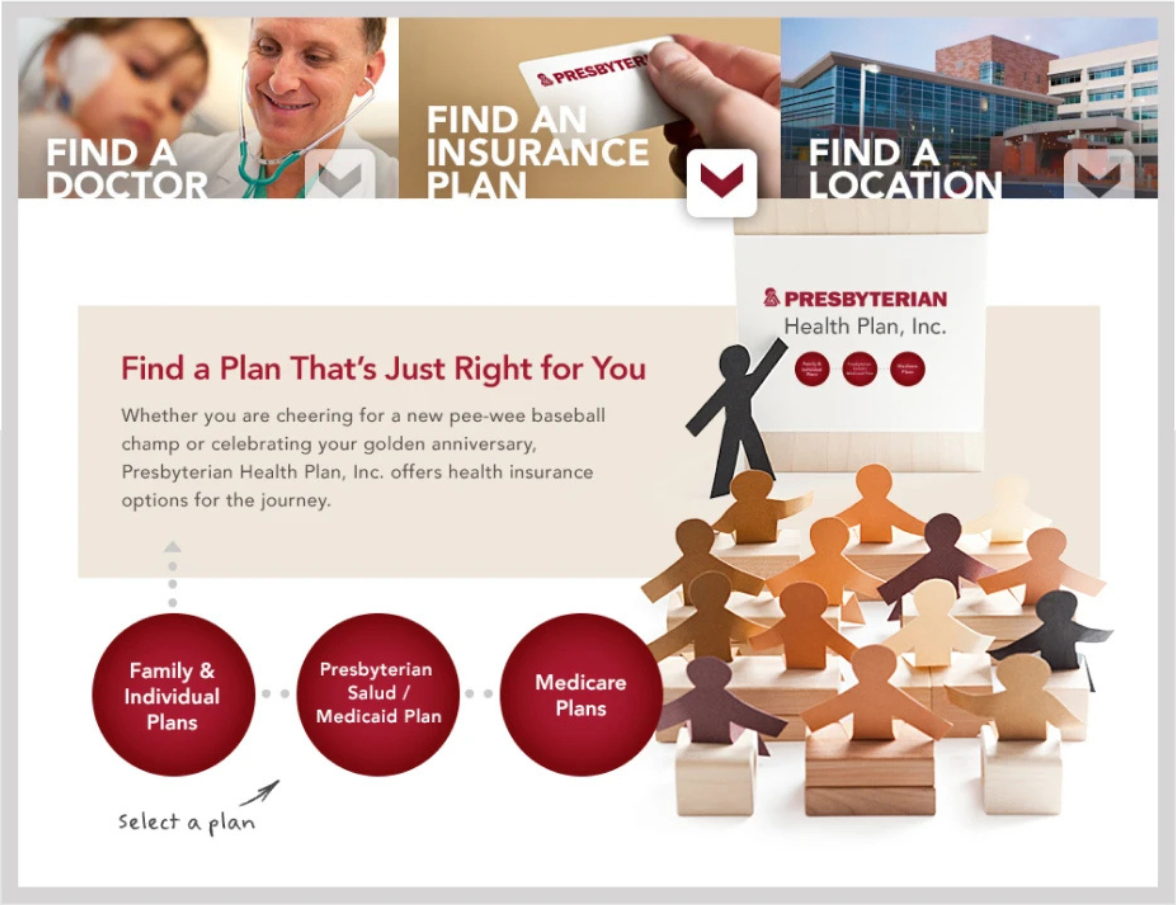
Health-plan selection needed its own clear path. Family and individual coverage, Medicaid, and Medicare all used the same visual language. This helped the organization feel unified, while giving each audience a route that made sense for them.
Let the brand feel connected to the people it serves
I wanted the portal to feel like New Mexico. The design included the state’s landscape, culture, and community character. Family photography, regional context, and familiar care choices all came together, balancing people, place, and service.
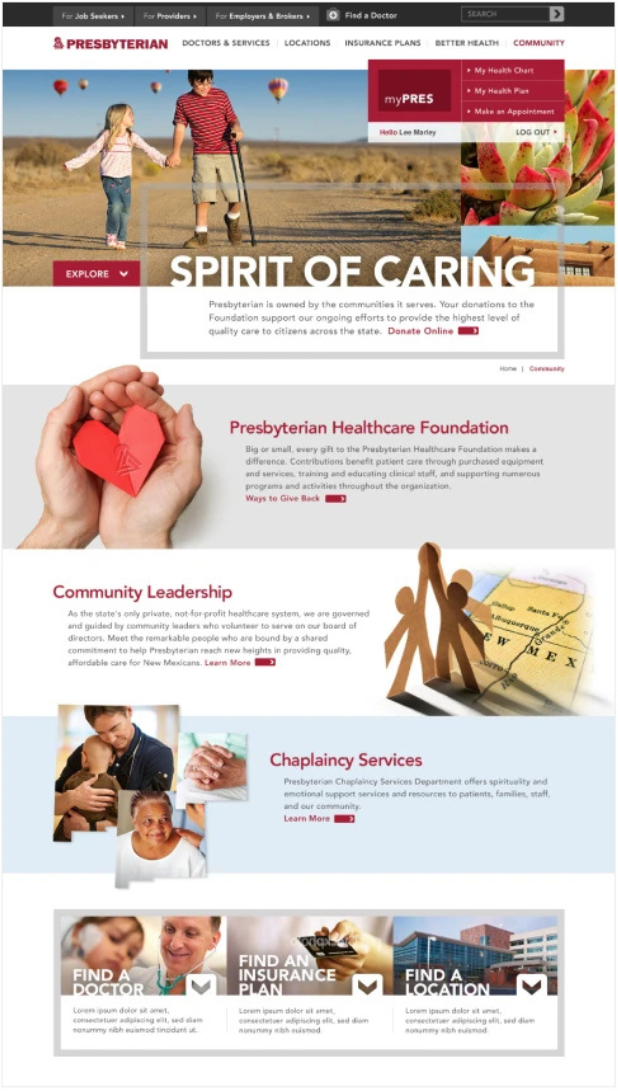
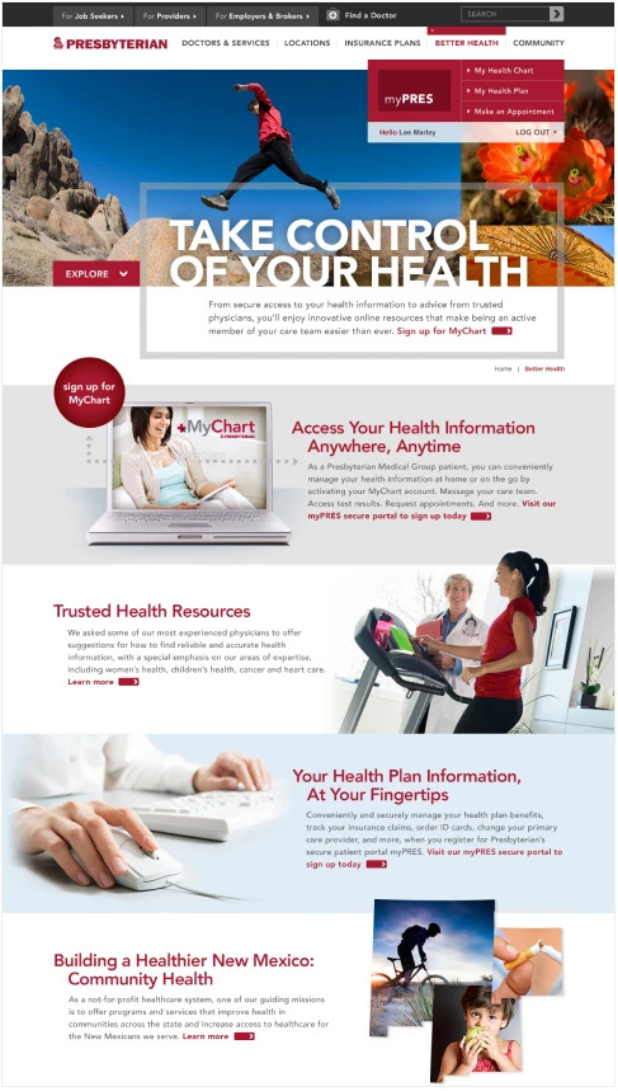
That sense of connection continued on the deeper pages. Community giving and personal health information each had their own purpose, but navigation, account access, and visual design stayed consistent. The portal could show the breadth of Presbyterian without making every audience learn a new system.
Connect the customer experience to a workable platform direction.
The broader initiative needed a strong foundation for content, technology, and ongoing ownership. In the planning phase, I organized the next steps around a prioritized feature set, high-level information architecture, CMS requirements, and a clear implementation roadmap. Phase 1 decisions had to prepare for what would come next.
We decided to treat the portal as a connected service. Public discovery, coverage decisions, and personalized tools all needed a shared entry point, with clear paths for everyone who used, maintained, or expanded the experience.
The portal design gave Presbyterian a common structure for care, coverage, and personalized access. I built the experience around five main customer tasks, supported by shared navigation and clear plan-selection paths. Urgent-care views combined location, distance, and wait time, while account access led to MyChart, My Health Plan, and appointment scheduling.
Our team delivered both Coverage Connector and the urgent-care wait-time app. Coverage Connector launched, and the app was approved for Android and iOS. Both tools received positive feedback from the client, and the project reflects how I approach complex service environments. I start with the decisions people need to make, connect those decisions to what the organization offers, and give the experience enough structure to stay useful as the platform grows.
Role and collaboration
- VP, Executive Creative Director · Enlighten · 2012–2013
- JT Anderson
- Portal strategy and design collaboration
- Enlighten and Presbyterian Healthcare Services project teams
- Related service delivery
- Enlighten engineering and QA teams